
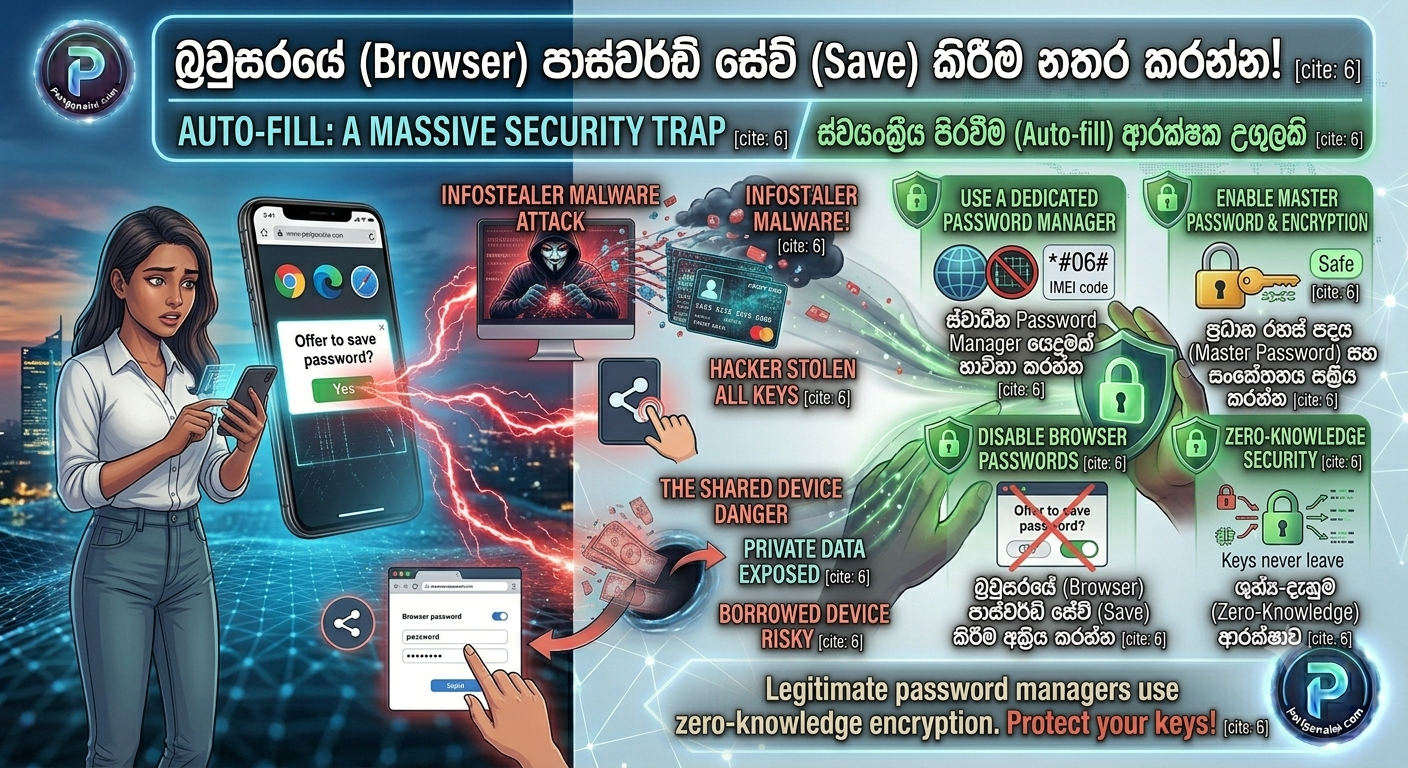
We all do it. You create a new account, and Google Chrome, Edge, or Safari instantly pops up asking, “Do you want to save this password?” You click “Yes” without thinking because it is incredibly convenient.
But in 2026, relying on your web browser to store your digital keys is one of the biggest security mistakes you can make. Cybercriminals actively target built-in browser password managers, and stealing them is much easier than you think.
Here at Pariganaka.com, we want to help you upgrade your digital security. Here is why you need to stop saving passwords in your browser today, and what you should be doing instead.
1. The Threat: Infostealer Malware
Your web browser is designed to browse the internet, not to be an unbreakable digital vault.
- The Vulnerability: Browsers usually store your passwords in a file on your computer’s hard drive. While it is technically encrypted, it is often tied directly to your computer’s main user account.
- The Attack: Hackers use a type of virus called “Infostealers” (like RedLine or Raccoon Stealer). If you accidentally download a bad file or click a malicious link, this malware secretly installs itself, finds your browser’s password file, decrypts it using your computer’s own login token, and sends every single password you own straight to the hacker in plain text.
2. The Shared Device Danger
If you share a laptop with family members, friends, or coworkers, browser password managers are a privacy nightmare.
- The Problem: Anyone who knows your Windows PIN or Mac login password can easily open Chrome, go into the settings, click the little “eye” icon next to your saved passwords, and view them.
- The Reality: Your banking passwords, social media accounts, and private emails are left completely exposed to anyone who borrows your device for five minutes.
3. The Better Solution: A Dedicated Password Manager
You do not have to go back to memorizing dozens of complex passwords or writing them down in a notebook. You just need the right tool.
- What it is: A dedicated Password Manager app (like Bitwarden, 1Password, or Dashlane) is designed from the ground up for absolute security.
- Why it is safer: They use “Zero-Knowledge Encryption.” This means your passwords are encrypted before they ever leave your device, and they are locked behind a master password that only you know. Even if the password manager company’s servers get hacked, the hackers would only get unreadable gibberish. As a bonus, these apps work seamlessly across Android, iPhone, Windows, and Mac!
4. How to Make the Switch Today (In 3 Easy Steps)
Moving your passwords to a secure manager takes less than ten minutes.
- Step 1: Download a trusted app. We highly recommend Bitwarden because it is open-source, highly secure, and completely free for personal use. Download the app on your phone and add the extension to your browser.
- Step 2: Export and Import. Go to your browser’s password settings (e.g.,
chrome://password-manager/settings) and click Export Passwords. This downloads a temporary file. Open your new Password Manager, click Import, and select that file. - Step 3: Delete and Disable. This is the most important step! Once your passwords are safely in the new app, permanently delete the temporary export file you just downloaded. Then, delete all saved passwords from your browser and turn off the “Offer to save passwords” setting so you never accidentally save one there again.
The Bottom Line: Convenience should never come at the cost of your security. By moving your digital keys out of your browser and into a proper vault, you make it significantly harder for hackers to steal your identity.
Stay tuned to Pariganaka.com for more essential tips to keep your digital life safe and secure!
Leave a Reply