
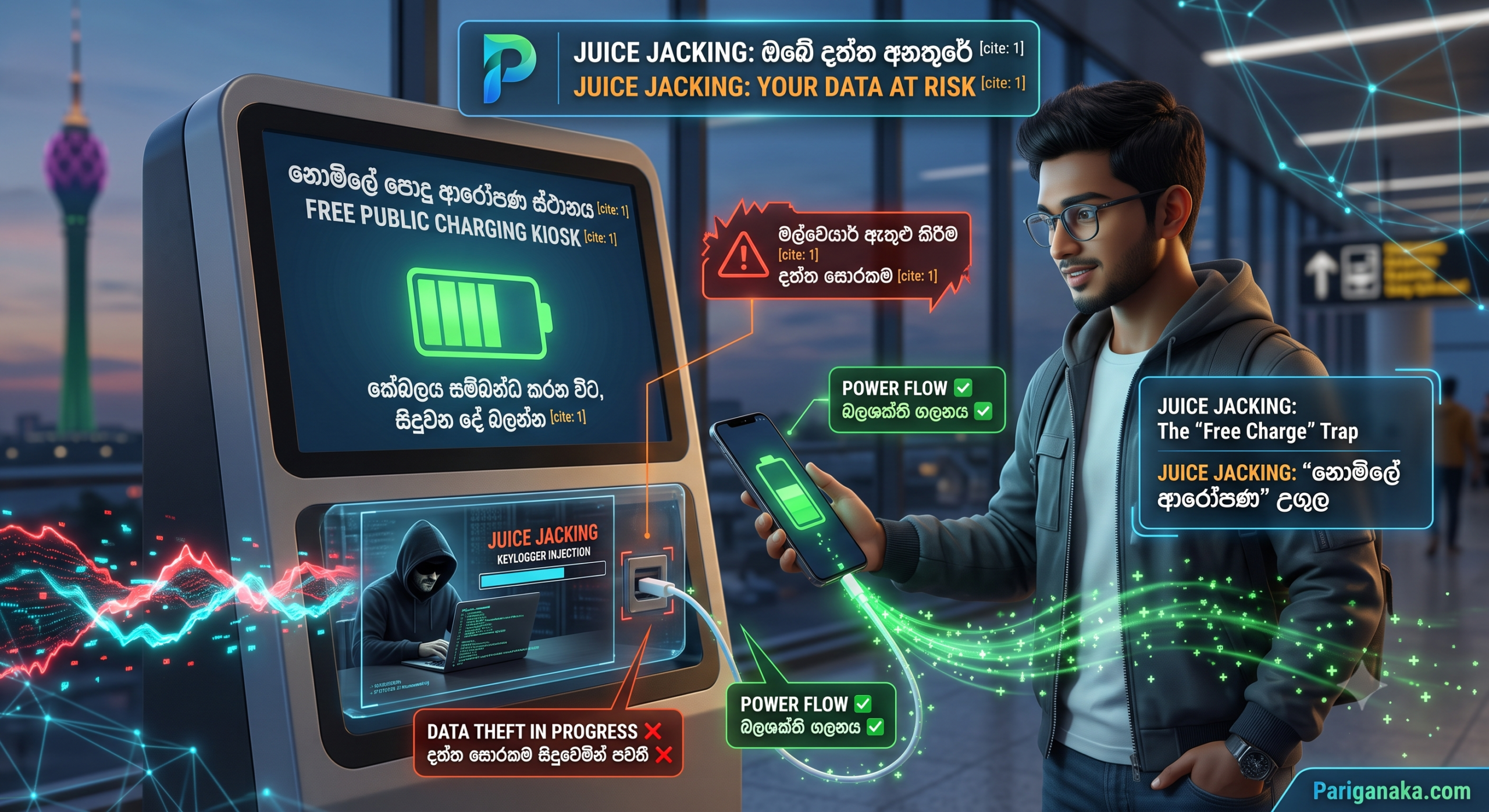
We have all been there. You are at a shopping mall, a coffee shop, or waiting at the airport in Colombo, and your phone battery drops to 5%. Panic sets in. Then, you see it—a free public charging kiosk with a USB-C cable ready to go. You plug in your phone, feeling relieved as the battery icon turns green.
What you don’t realize is that while your phone is drawing power, it might also be secretly downloading malware or uploading your private photos.
This cyberattack is known as Juice Jacking, and in 2026, it is more dangerous than ever. Here at Pariganaka.com, we are exposing how hackers weaponize public charging stations and how you can safely keep your battery alive without compromising your digital life.
1. The USB-C Double Threat
The reason USB-C is so amazing is also the reason it is so dangerous.
- The Flaw: Unlike old power cables, USB-C is designed to transmit high-speed data and high-wattage power simultaneously. When you plug your phone into a public USB port, you are essentially plugging it directly into a stranger’s computer.
- The Hack: Cybercriminals break into these public charging kiosks, remove the standard power ports, and replace them with their own modified ports connected to hidden microcomputers. To the naked eye, the charging station looks completely normal.
2. What Happens When You Plug In?
The moment the physical connection is made, the hidden computer goes to work in a matter of seconds.
- Data Theft: The malicious port can silently execute commands to bypass your lock screen and copy your photo gallery, WhatsApp backups, and saved passwords before your phone even reaches 10% battery.
- Malware Injection: Instead of stealing data, the port might inject a silent “Keylogger” into your phone. Long after you unplug and go home, this malware runs in the background, recording every password and banking OTP you type, sending them directly to the hacker.
3. Smart Ways to Charge Safely in Public
You do not have to let your phone die in an emergency, but you must change how you charge it.
- Use the AC Wall Outlet: This is the easiest fix. Never plug a USB cable directly into a wall or kiosk port. Always carry your own charging brick (adapter) and plug it into a standard electrical socket (AC outlet). Electrical sockets cannot transmit data.
- Carry a “Data Blocker” (USB Condom): A Data Blocker is a tiny, cheap adapter that you attach to the end of your charging cable before plugging it into a public port. It physically blocks the data pins inside the USB cable, allowing only power to flow through.
- Invest in a Power Bank: The absolute safest way to charge on the go is to carry a reliable, high-capacity power bank. You own the power source, meaning there is zero risk of data manipulation.
Security Rule of Thumb: If you are forced to plug into a public USB port and your phone screen suddenly pops up with a prompt asking to “Trust This Computer” or “Allow Access to Device Data,” unplug it immediately! A normal charger will never ask for data permissions.
Quick Guide: Safe vs. Dangerous Charging
| Charging Method | Risk Level | Why? |
| Public USB Port / Kiosk | ❌ High Risk (Dangerous) | Direct data connection to an unknown source |
| Your Cable + Friend’s Laptop | ⚠️ Medium Risk | Laptops can automatically sync or transfer malware |
| AC Wall Outlet (With your Adapter) | ✅ 100% Safe | Only electricity is transferred; no data connection |
| Using a Data Blocker / Power Bank | ✅ 100% Safe | Physically prevents any data exchange |
The Bottom Line:
In 2026, data is more valuable than electricity. That “free” battery charge at the cafe could end up costing you your bank account or your privacy. Treat public USB ports like you would treat an open, unpassworded Wi-Fi network: with extreme caution. Buy a data blocker, carry your charging brick, and never blindly plug into a wall again.
Protect your devices both inside and out, and stay tuned to Pariganaka.com for more modern tech survival guides!
Leave a Reply