
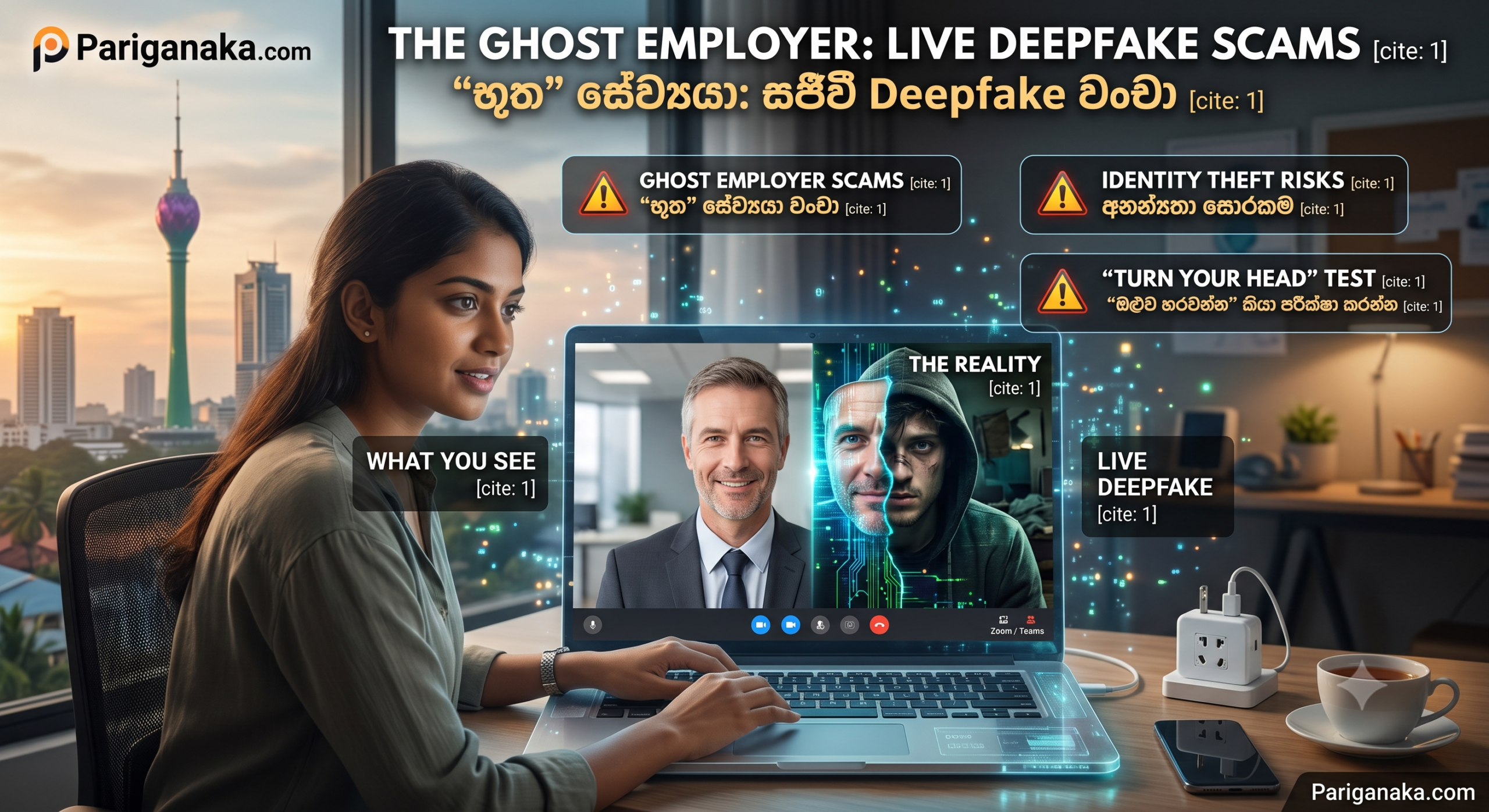
Landing a high-paying remote job feels like a dream come true. You apply online, pass the email screening, and jump onto a Microsoft Teams or Zoom video call for your final interview. The HR manager smiles, answers your questions, and offers you the job on the spot. All you have to do is send over your bank details for payroll, your National Identity Card (NIC) for background checks, and a small deposit for your “company laptop.”
But what if the person you just spoke to on video wasn’t real?
Welcome to the era of Live Deepfake Scams. Cybercriminals are no longer hiding behind poorly written emails; they are sitting right in front of you on video calls. Here at Pariganaka.com, we are exposing how hackers use AI avatars to create “Ghost Employers” and how you can spot a fake human before you hand over your personal data.
1. The Anatomy of a Deepfake Interview
In 2026, you don’t need a Hollywood studio to create a digital human. Hackers use real-time generative AI to map a fake face and voice onto their own movements.
- The Stolen Identity: Scammers often steal the name, photo, and LinkedIn profile of a real HR manager from a legitimate company. They feed this single photo into an AI program that generates a moving, talking 3D model.
- The Live Puppeteering: During the video call, the scammer sits in front of their webcam. The AI software acts like a highly advanced Snapchat filter, instantly replacing the scammer’s face and voice with the stolen identity. When the scammer smiles or talks, the AI avatar does the exact same thing on your screen.
2. What Is the Hacker’s Goal?
These fake companies are not trying to get free labor out of you; they want your identity and your money.
- Identity Theft: By tricking you into filling out “official onboarding forms,” they easily harvest your full name, home address, tax numbers, and passport photos. This data is then sold on the dark web or used to open fraudulent bank accounts in your name.
- The “Equipment” Fee: The most common financial trap is the equipment scam. The fake employer will send you a check to buy a “company-approved laptop” from a specific vendor. You buy the laptop with your own money, but their check bounces a week later, and the “vendor” you paid was actually the scammer.
3. Smart Ways to Spot a Deepfake on a Live Call
While AI technology is incredibly advanced, it still struggles with real-time physics and unpredictable movements. Here is how you can catch a Ghost Employer in the act.
- Look at the Hair and Edges: AI struggles to render individual strands of hair or the boundary where the face meets the background. If their hair looks blurry, morphs when they move, or merges into their background, it is a massive red flag.
- Watch for Glitches During Movement: Deepfakes work best when the person is sitting perfectly still. If the interviewer moves their hands in front of their face, drinks from a cup of water, or turns their head sharply to the side, the AI filter will often “break” or tear for a split second, revealing the scam.
- The “Turn Your Head” Test: If you suspect the person on the screen isn’t real, politely ask them to look left or right, or ask a question that requires them to point at something. Scammers using cheap AI tools will try to avoid rapid movements to keep the illusion intact.
Security Rule of Thumb: A legitimate company will never ask you to pay money out of your own pocket to secure a job, buy equipment from an unknown third-party portal, or pay a “training fee.” If money is flowing away from you during the hiring process, hang up the call immediately.
Quick Guide: Real Interview vs. Deepfake Scam
| Feature | Legitimate Video Interview ✅ | AI Deepfake Scam ❌ |
| Visual Quality | Natural lighting, sharp edges, normal hair | Slightly blurry edges, robotic blinking, weird lighting |
| Audio Sync | Lips move perfectly with the words spoken | Slight lag between mouth movements and audio |
| Onboarding Process | Company handles equipment internally | Asks you to transfer money for a “work laptop” |
The Bottom Line:
The digital economy offers incredible opportunities, but it also requires a new level of skepticism. Seeing is no longer believing. By paying close attention to visual glitches, protecting your sensitive documents, and refusing to pay upfront fees for a job, you can navigate the 2026 remote work landscape safely.
Don’t let a digital ghost steal your identity, and stay tuned to Pariganaka.com for more modern tech survival guides!
Leave a Reply