
Take a look around any coffee shop in Colombo today, and you will see a subtle shift in how we consume technology. People are no longer just staring down at their phones; they are looking straight ahead through sleek, lightweight AR (Augmented Reality) glasses.
Spatial computing has finally become affordable and mainstream in 2026. We use smart glasses to read floating emails, navigate traffic, and take hands-free video calls. But while we are looking at the digital world, what is the digital world looking at?
Here at Pariganaka.com, we are exploring the invisible privacy threats of AR glasses and how to stop your living room from becoming public data.
1. The “Always Mapping” Dilemma
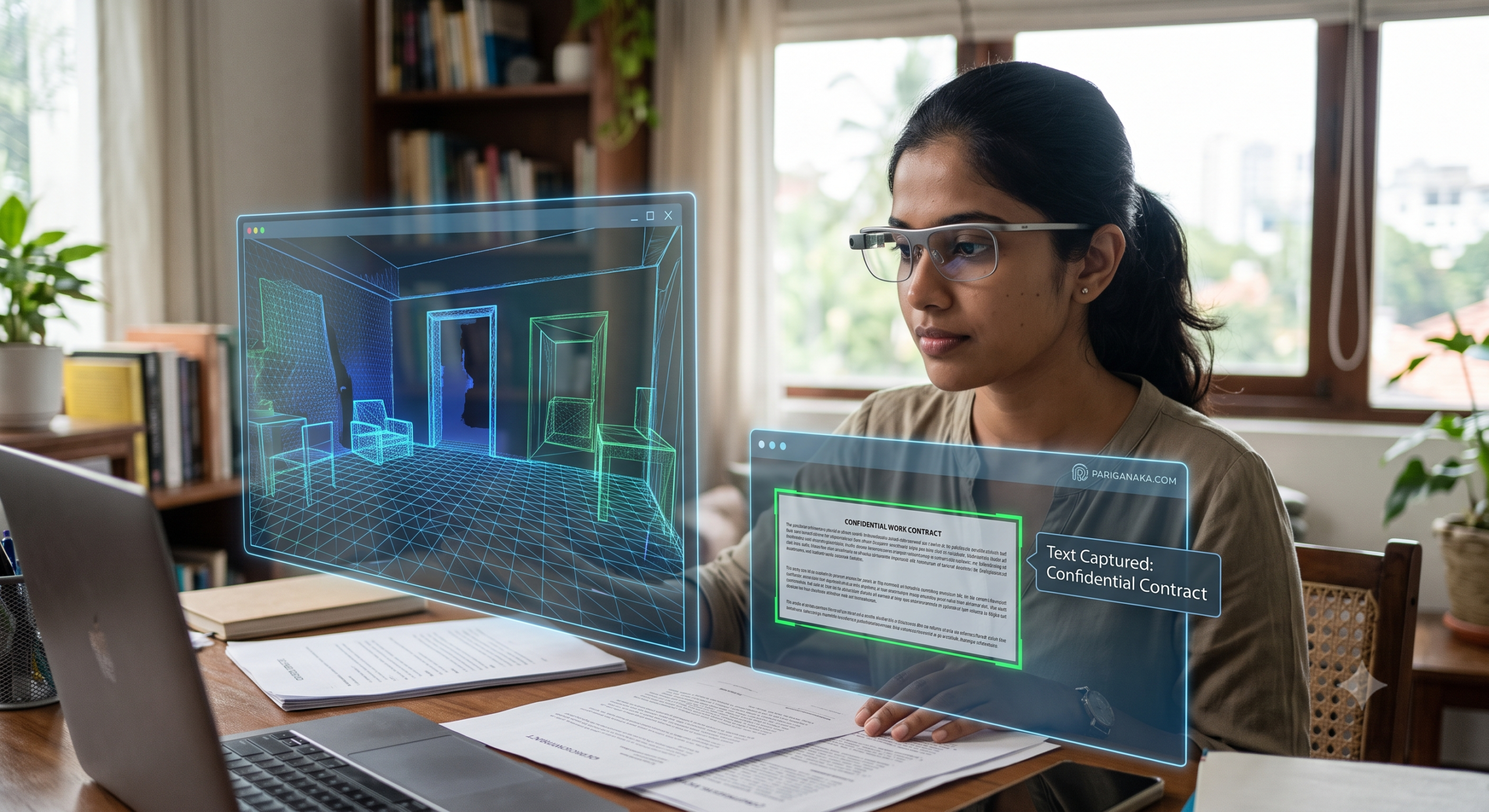
To project a digital screen onto your physical wall, your AR glasses need to know exactly where that wall is. This means they are constantly scanning, mapping, and recording your environment using depth sensors and tiny cameras.
- The Floor Plan Leak: Every time you wear your smart glasses at home, they are building a highly accurate 3D map of your interior. Who owns that map? If you are using budget-friendly AR glasses with questionable privacy policies, that 3D map of your house could be sold to data brokers or targeted advertisers.
- Accidental Text Scanning: High-resolution cameras on your face can read the documents sitting on your desk. A confidential work contract, a bank statement, or a sticky note with a password can be easily captured by the background tracking software without you ever clicking a “record” button.
2. The Social Impact: “Are You Recording Me?”
In 2026, the etiquette of wearing AR glasses is still messy. We are facing a new wave of social anxiety regarding passive recording.
- The Indicator Light Workaround: Most legal smart glasses have a small LED light that turns on when recording video. However, cybercriminals have already developed software patches that disable this light, allowing for completely covert recording in public spaces, gyms, and offices.
- Facial Recognition on the Go: Unregulated third-party apps can now link with your AR glasses to perform real-time facial recognition on strangers you pass on the street, instantly pulling up their public social media profiles.
3. How to Establish Your Spatial Privacy
You do not have to throw your smart glasses away, but you do need to start treating them with the same caution as a drone flying inside your house.
- Set Up “Geofenced” Privacy Zones: Dive into the settings of your AR device and set up location-based restrictions. Configure your glasses to automatically disable all camera and spatial mapping features the moment your GPS registers that you are inside your home or office.
- Use “Guest Mode” for Visitors: If a friend wants to try on your glasses, use a restricted profile. This prevents the device from accidentally reading your private eye-tracking data or displaying your floating personal messages while someone else is wearing them.
- Read the Data Policy (Seriously): Before buying a cheaper, imported pair of smart glasses, check if they process spatial data locally (on the device itself) or if they upload your environmental scans to the cloud. Always choose local processing for sensitive environments.
Quick Guide: Webcams vs. AR Glasses
| Feature | The Laptop Webcam (Past) 💻 | AR Smart Glasses (2026) 🕶️ |
| Field of View | Stationary; only sees what is right in front of it. | Mobile; sees everywhere you look, 360 degrees. |
| Data Collected | 2D Video and Audio. | 3D Spatial maps, eye-tracking, and depth data. |
| Recording Awareness | Obvious (you sit down in front of a screen). | Covert (it happens passively as you walk around). |
| The Best Defense | A physical plastic privacy slider over the lens. | Software geofencing and strict app permission audits. |
The Bottom Line:
Spatial computing is merging our physical and digital lives faster than we anticipated. As we embrace the convenience of AR in Sri Lanka, we must remember that our physical privacy is now a digital asset. Treat the cameras on your face with respect, audit your settings, and control your environment before it gets uploaded to the cloud.
Stay aware, secure your space, and keep following Pariganaka.com for your essential guide to navigating the future!
Leave a Reply