
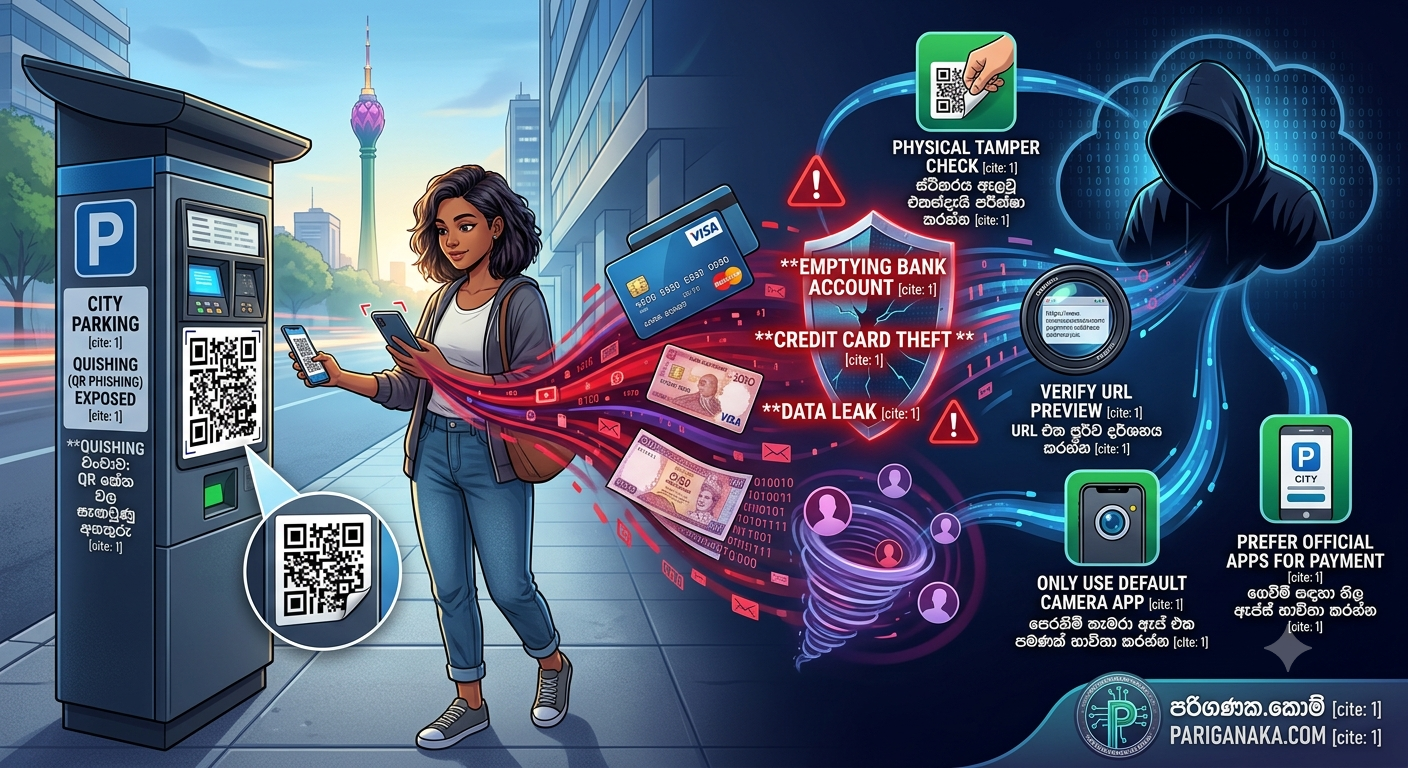
QR codes are everywhere now. We scan them to read restaurant menus, pay for parking, connect to Wi-Fi, and buy groceries. They are incredibly convenient, but cybercriminals have figured out a clever way to weaponize them.
This new threat is called “Quishing” (QR Phishing), and it is rapidly becoming one of the most successful scams of the year. Here at Pariganaka.com, we want to show you exactly how this scam works and how to safely scan codes without compromising your digital life.
1. How the QR Code Scam Works
Unlike traditional hacking, Quishing does not require complex coding. It relies on physical deception and human trust.
- The Setup: Scammers print out their own malicious QR codes on high-quality sticker paper. They then walk around public places and paste their fake stickers directly over legitimate QR codes.
- The Trap: When you scan the code, your phone opens a website that looks exactly like the real parking portal, banking app, or restaurant payment page.
- The Theft: The fake website will ask you to enter your credit card details, Apple Pay, or Google Pay information to complete your transaction. The moment you submit the payment, the hackers steal your card details and instantly use them to make massive online purchases.
2. The Biggest Danger Zones
You should always be on high alert when scanning QR codes in these specific public locations:
- Parking Meters: This is the most common target. Scammers place fake payment codes on street parking signs because people are usually in a rush and will quickly enter their card details to avoid a parking ticket.
- Coffee Shops and Restaurants: Fake stickers placed on outdoor tables can trick you into ordering and paying through a scammer’s portal instead of the actual restaurant’s system.
- EV Charging Stations: Criminals paste fake payment codes over the screens or instruction panels of public electric vehicle chargers.
3. Smart Ways to Protect Yourself
You do not have to stop using QR codes, but you do need to start scanning them smartly.
- Do a Physical Check: Before you scan a code on a parking meter or a poster, run your finger over it. Can you feel the edges of a sticker placed over the original print? If it looks tampered with, do not scan it!
- Check the URL Preview: When you point your phone’s camera at a QR code, a yellow or white bubble pops up showing the website link. Look at it closely! If you are at a local restaurant but the link says
http://payment-gateway-update-12.com, close it immediately. - Never Use Third-Party Scanners: Only use the default camera app built into your iPhone or Android device. Third-party QR scanner apps from the app store are often loaded with malware and intrusive ads.
Quick Guide to Safe Scanning
| Situation | Safe Action | Dangerous Action |
| Paying for Parking | Use the city’s official parking app | Scanning a random code on a street pole |
| Restaurant Menus | Ask the waiter if the code is correct | Entering credit card details on a menu link |
| Unexpected Mail | Throw away unsolicited QR letters | Scanning a code sent to your home address |
The Bottom Line:
A QR code is just a hidden web link. You would never click a random, suspicious link sent to your email, so you should treat physical QR codes with the exact same level of caution.
Keep your digital wallet safe, and stay tuned to Pariganaka.com for more modern cybersecurity guides!
Leave a Reply