In the past, you had to manually copy and paste between ChatGPT and your other apps. In 2026, Agentic AI does the “doing” for you. Follow these steps to set up your first digital teammate.
Step 1: Choose Your Platform
Depending on your technical skill, choose one of these three entry points:
- For Beginners (No-Code): Use Gumloop or Zapier Central. These platforms allow you to build agents using natural language. You simply tell it, “You are my research agent; whenever I find a tech link, summarize it and add it to my Notion database.”
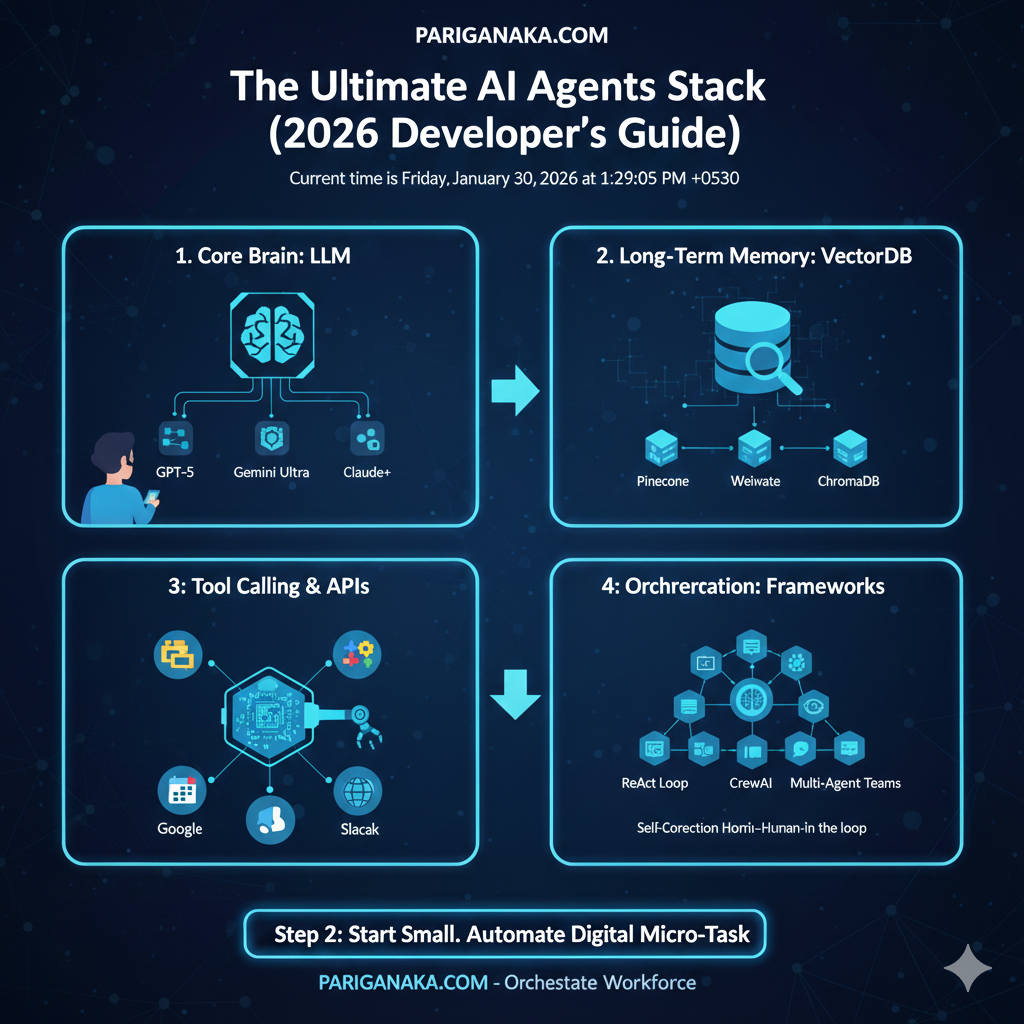
- For Power Users (Low-Code): Use n8n or Flowise. These use a visual “drag-and-drop” interface to connect your AI brain (like GPT-5 or Gemini 3) to your actual files and tools.
- For Developers (Pro-Code): Use CrewAI or LangGraph. These frameworks allow you to code a “crew” of multiple agents that talk to each other to solve complex problems.
Step 2: Define the “Role” and “Goal”
An agent needs a clear identity. Do not just say “Help me.” Use the Role-Goal-Backstory framework:
- Role: “You are a Senior Market Analyst for PARIGANAKA.COM.”
- Goal: “Monitor the top 5 tech news sites every morning at 8 AM and create a 3-bullet summary of any news related to Sri Lankan startups.”
- Backstory: “You have a keen eye for detail and prioritize accuracy over speed.”
Step 3: Connect Your “Tools”
An agent is useless if it’s “trapped in a box.” You must give it Tools (APIs). In 2026, the most popular standard is the Model Context Protocol (MCP).
- Connect your Google Drive so the agent can read your notes.
- Connect your Slack or WhatsApp so the agent can send you alerts.
- Connect a Web Search tool (like Perplexity or Tavily) so the agent can access real-time 2026 data.
Step 4: Set the “Loop” and Guardrails
The biggest difference in 2026 is that agents can Self-Correct.
- Instruction: “Check your work twice before sending.”
- Guardrail: “If a task costs more than $0.50 in API fees, stop and ask me for permission.”
- Human-in-the-loop: Always set a final “Approval Step” so the agent drafts the work, but you hit the “Send” button.
Step 5: Start Small
Don’t try to automate your whole life on day one. Start with one “Micro-Task”:
- Example: An agent that watches your “Watch Later” YouTube playlist and sends a summary of the videos to your email every Sunday.
Tip for PARIGANAKA.COM Readers: Agentic AI is like a new employee. It will make mistakes at first. Be patient, refine your instructions, and eventually, you will have a “Digital Twin” working for you while you sleep.
Leave a Reply