
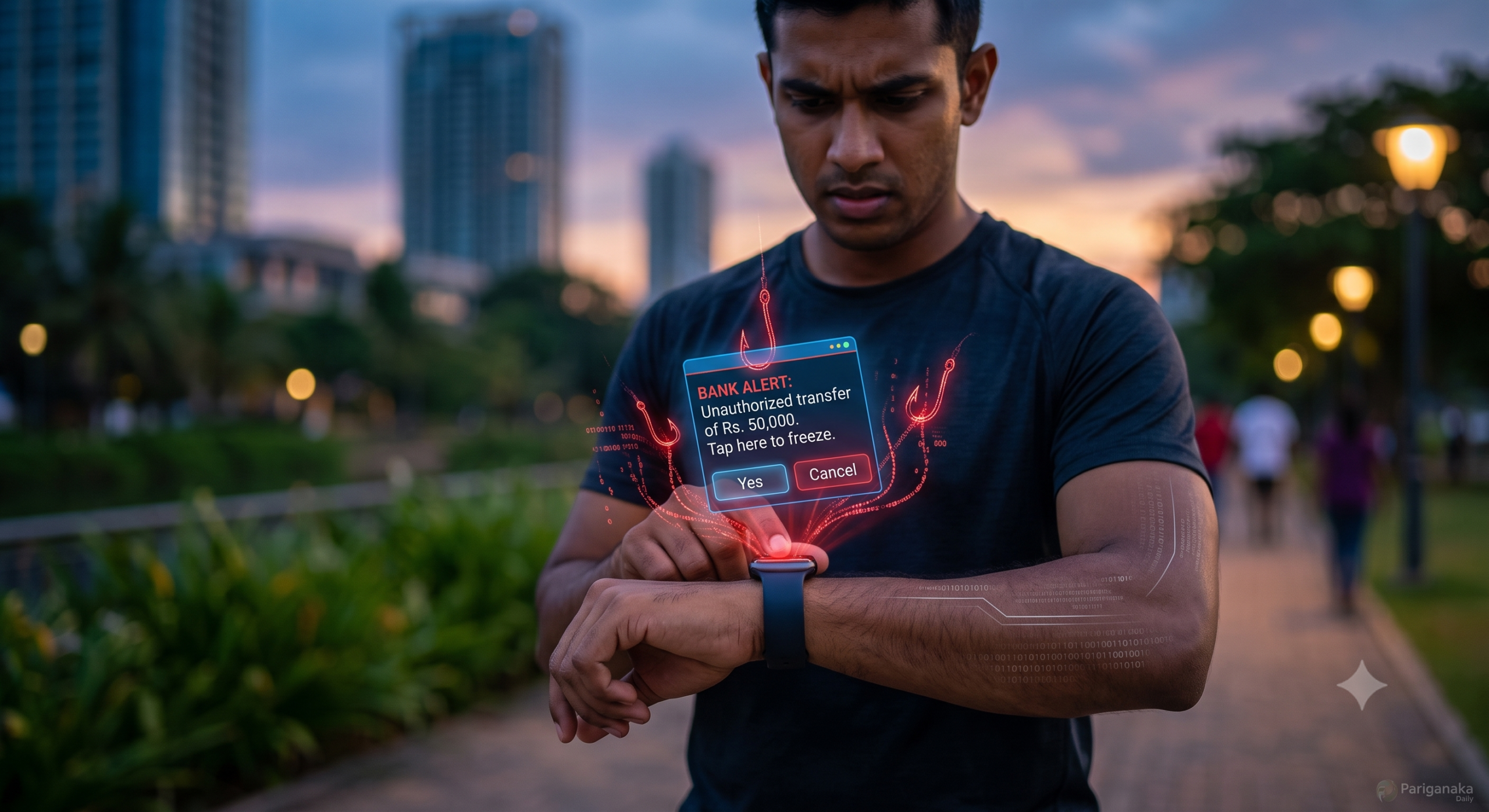
We all know the rule: don’t click suspicious links in your email, and never give out your OTP over a phone call. We are hyper-vigilant when we are sitting in front of our laptops or scrolling on our smartphones. But what happens when that exact same phishing attempt buzzes directly on your wrist while you are halfway through a morning jog in Viharamahadevi Park?
In 2026, cybercriminals are banking on the fact that while our phones are fortified, our smartwatches are our blind spots. Welcome to the era of Wearable Tech Phishing. At Pariganaka.com, we are exploring how hackers are using the tiny screens on our wrists to bypass our digital defenses, and how you can secure your wearable tech.
1. The Psychology of the “Glance and Tap”
Hackers understand human behavior. When we look at our phones, we read. When we look at our smartwatches, we react.
- The Sense of Urgency: Smartwatches are designed for immediate interaction. If your wrist vibrates with a notification that says, “Bank Alert: Unauthorized transfer of Rs. 50,000. Tap here to freeze account,” your immediate instinct is to tap “Yes” or “Confirm” without investigating.
- Limited Screen Real Estate: Because smartwatch screens are tiny, you cannot easily check the sender’s full email address or inspect the URL of a link. Scammers exploit this by sending truncated messages that hide the red flags that would be obvious on a larger screen.
- The “Trusted Device” Illusion: We wear these devices against our skin; they monitor our heart rates and sleep patterns. Psychologically, we view them as an extension of ourselves, making us far less suspicious of the notifications they display compared to an email on a desktop computer.
2. How the Scams Actually Work
Wearable phishing doesn’t usually involve downloading complex malware to your watch. Instead, it uses your watch as a gateway to compromise your phone or bank accounts.
- The Fake Authentication Prompt (MFA Fatigue): You are trying to sleep, and your watch suddenly vibrates with ten consecutive Multi-Factor Authentication (MFA) requests for your Google account. Scammers bombard your wrist, hoping you will blindly hit “Approve” just to make the buzzing stop. Once you do, they are in.
- Malicious Calendar Invites: Scammers push fake events directly to your synced calendar. Your watch alerts you: “Meeting in 10 mins! Click here to join call.” Tapping the link on your watch often opens a malicious login page on your paired smartphone, tricking you into entering your credentials.
- Rogue Health Apps: You download a third-party watch face or a cheap fitness tracking app. It requests aggressive permissions, quietly intercepting the OTP notifications that pop up on your watch before you even see them.
3. How to Fortify Your Wrist
Your smartwatch shouldn’t be a vulnerability. By tweaking a few settings, you can keep the convenience without compromising your security.
- Disable Actionable Notifications for Banking: Go to your smartphone’s wearable app (like the Apple Watch app or Galaxy Wearable). Turn off notifications for your banking apps and critical email accounts on your watch. If a bank alerts you, force yourself to pull out your phone and log into the secure app to check it.
- Turn on “Require Authentication” for Payments: If you use Apple Pay, Google Wallet, or local NFC payment systems via your watch, ensure the watch automatically locks the moment you take it off your wrist. Never disable the PIN requirement.
- Audit Your Watch’s App Permissions: Just like your phone, your watch apps need supervision. Delete any third-party apps or watch faces that you don’t actively use, especially those that request access to read your notifications or SMS messages.
Quick Guide: Desktop Phishing vs. Wearable Phishing
| Feature | Desktop/Phone Phishing 💻 | Wearable Phishing ⌚ |
| The Tactic | Detailed emails with fake links | Short, urgent alerts designed for quick taps |
| Human Flaw Exploited | Lack of technical knowledge | The “Glance and Tap” reflex; distraction |
| Verification Ability | High (can check URLs, sender details) | Low (tiny screens hide sender details) |
| The Defense | Hovering over links; using spam filters | Limiting which apps can push notifications to the watch |
The Bottom Line:
As our technology shrinks and attaches directly to our bodies, our approach to cybersecurity must evolve. Your smartwatch is an incredible tool for health and convenience, but it is not a secure platform for managing critical alerts. The next time your wrist buzzes with an urgent warning, take a breath, ignore the screen, and check your actual phone.
Stay sharp, secure your wearables, and keep reading Pariganaka.com for the latest in digital survival!
Leave a Reply